
SimCity BuildIt Mod APK 1.81.1.14873346
ELECTRONIC ARTS

- Unlimited Money
- Unlimited SimCash
- Golden Keys
- All buildings


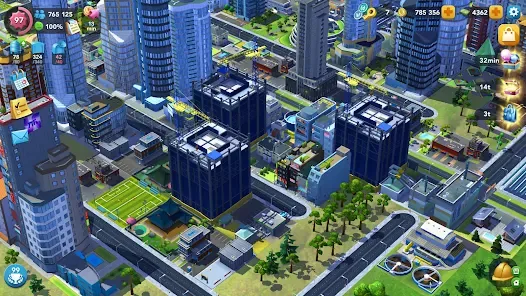

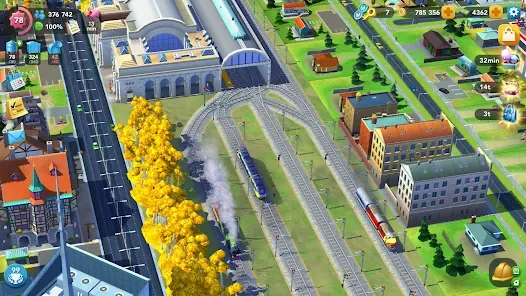
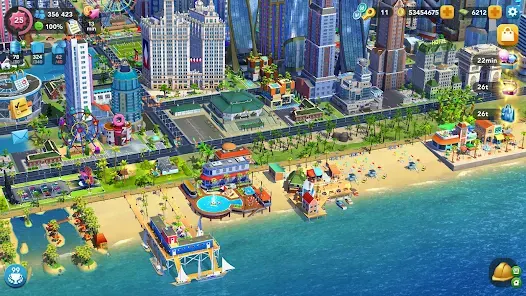
Screenshots from the SimCity BuildIt mod apk, version 1.81.1.14873346, running on Android.
The SimCity BuildIt mod apk is a modified build of Electronic Arts’ city building game that starts you with Simoleons, SimCash and Golden Keys already in the bank, so the currency grind that normally gates the mid game is gone from the first launch. This page covers version 1.81.1.14873346 for Android 7.0 and up: what the patch actually changes, why the download installs in two stages, what it breaks, and how to install it without losing the city you already have.
What SimCity BuildIt is, and what the mod changes
SimCity BuildIt is the mobile entry in the SimCity series. You are the mayor of an empty plot, and you grow it by zoning residential blocks, laying roads, and keeping the population supplied with power, water, sewage, waste collection, fire cover, police and health services. Residents upgrade their own homes when their needs are met, and each upgrade needs manufactured goods that you produce in factories and commercial buildings on real world timers.
That timer economy is the whole design. A metal shipment takes minutes, a plastic run takes longer, and a building upgrade that needs seven different goods can stall a city for an evening. Simoleons buy you out of some of that wait, SimCash buys you out of most of it, and SimCash is the currency the game sells for money.
The modified build changes exactly one thing about that loop: it removes the scarcity. The patch rewrites the values the game reads for your Simoleon, SimCash and Golden Key balances so they never meaningfully decrease. Everything else about the game is untouched. Buildings still take real time to produce goods, residents still complain when the sewage backs up, and a badly planned road grid still strangles your city. You are not given a better city, you are given the budget to fix one.
That distinction matters because it sets expectations correctly. People who install this expecting the game to play itself are disappointed within an hour. People who install it because they want to design a city without a production queue dictating the pace tend to keep playing it.
What the patch actually unlocks
Simoleons that do not run out
Simoleons are the everyday currency. They pay for roads, zoning, service buildings and the goods you buy from other players in the Trade Depot. In the unmodified game they are the first thing to run dry, because every road tile you place costs money and a city rebuild can wipe a balance in minutes. With the patch the balance holds, so you can demolish and re-plan a district as many times as you like. This is the single change that most alters how the game feels, because road planning stops being a permanent decision you are scared to revisit.
SimCash without the store
SimCash is the premium currency, normally bought with real money or earned very slowly through achievements and the daily wheel. It skips production timers, buys specialisation buildings, and expands your storage. Unlocking it removes the paywall that sits between a mid sized city and a large one. It is worth understanding what this costs you: the timers were the game’s pacing mechanism, and with SimCash freely available you can exhaust several hours of intended content in twenty minutes.
Golden Keys and Platinum Keys
Golden Keys come from resolving disasters and are spent on specialisation buildings such as beaches, mountains, gambling and education landmarks. Platinum Keys come from Contest of Mayors and buy the higher tier landmarks. Both are unlocked here, which means the specialisation districts that normally take weeks of daily play are open on day one.
The full build menu, including NeoMall
Buildings in the base game unlock by population tier. The patch exposes the full catalogue immediately, including the NeoMall set and the regional architecture packs. You still need the land area to place them, and land expansion still costs expansion items from the Trade Depot or SimCash, so the map does not open all at once. What changes is that you are choosing what to build rather than waiting to be allowed to build it.
No root access required
The package installs as an ordinary Android application. There is no requirement to root the device, unlock the bootloader or install a separate patching framework. You only need to allow installation from unknown sources for whichever app is doing the installing, which on modern Android is a per app permission rather than a global setting.
What is new in SimCity BuildIt mod apk 1.81.1.14873346
Electronic Arts updated the base game on 7 August 2026, and this build tracks that release. The recent update cycle has focused on regional content and the mall economy rather than core systems:
- New regional zones with their own architectural styles, continuing the Frosty Fjords and Sunny Isles sets from earlier in the year
- NeoMall expansion, which adds a retail economy layer with its own goods chain and rewards
- Contest of Mayors adjustments to task weighting and reward tiers
- Stability work on lower memory devices, which is the fix most likely to matter if the game previously closed itself on a 3 GB phone
- The usual round of balance corrections to production timers and Trade Depot pricing
If you are moving up from an older modified build, note that the save format changes between major versions. Back up before you install, and read the two stage install section below, because the package shape changed for this release.
Why this download installs in two stages
This is the part almost no download site explains, and it is the single most common reason people delete the file halfway through and assume it is broken. If you have installed a SimCity mod apk before and wondered why the icon that appeared was not the game, this is why.
Modern Android games are not shipped as one file any more. Google distributes them as an app bundle, which the Play Store splits into a base package plus separate packages for your device’s processor architecture, screen density and language. That keeps the download small on the Play Store, but it means a game like this cannot be handed to you as a single ordinary APK.
What you download here is therefore an installer package. Opening it does not open SimCity BuildIt. It opens a small installer app that carries the real game inside it, roughly 277 MB of base package, split packages and language files. That installer then hands the pieces to Android in the right order and the game appears in your app drawer as a separate icon.
Two practical consequences. First, the installation takes noticeably longer than a normal app, because the device is unpacking and installing several packages rather than one. On an older phone this can run past two minutes with no visible progress, and interrupting it is what actually corrupts the install. Second, you need roughly double the final size in free storage while it runs, because the compressed payload and the unpacked game exist at the same time.
The package includes both 64 bit and 32 bit processor builds, so it runs on current phones with 64 bit only chipsets as well as older hardware. That is worth stating plainly, because a lot of repackaged game files drop the 64 bit build and then fail to launch on any recent device while appearing to install perfectly.
How to download and install
- Back up your existing city first. Open the store version, go to Settings and connect the game to a Facebook, Google or EA account. Skipping this is how people lose progress they cannot recover.
- Uninstall the Play Store version of SimCity BuildIt. Android refuses to install a package signed with a different key over an existing one, and the error it shows does not explain that.
- Check your free storage. Allow around 600 MB of headroom for the unpacking stage, even though the finished game settles well below that.
- Open the download page and save the file. Most browsers will warn you about the file type. That warning appears for every APK regardless of source.
- Open the downloaded file. Android will ask whether the app doing the opening, usually Chrome or your file manager, is allowed to install unknown apps. Grant it for that app only.
- Let the installer run to completion. It will display its own progress while it installs the base package and the split packages. Do not lock the screen or switch apps during this stage.
- Open SimCity BuildIt from your app drawer, not the installer. The balances are applied at first launch.
Downloading goes to our download page first, where the file starts automatically after a short countdown.
SimCity mod apk requirements
- Android 7.0 or newer. This is a hard floor set by the package itself, and the game will not install on Android 6 or below
- An ARM processor, either 64 bit or 32 bit. Both are included
- Around 600 MB free during installation, less once it settles
- At least 2 GB of RAM for a stable experience, 3 GB or more if you intend to grow a large city
- Permission to install unknown apps, granted to whichever app opens the file
- No root access, no custom recovery, no patching framework
Getting the most from an unlimited budget
Having no spending limit changes which mistakes are expensive, and there are a few that the currency normally hides from you.
Plan roads before you place anything
Traffic is calculated on your actual road network, and service vehicles use it. A city that grew organically around a single main road will develop response time problems that no amount of money fixes, because the issue is topology rather than budget. Lay a grid with at least two routes to every district before you start zoning.
Upgrade roads, do not just widen the map
Road tiers raise the land value of everything adjacent to them, which raises the tier of buildings residents will upgrade into. Upgrading a central avenue often lifts more of your city than adding a new district would.
Keep services ahead of population
Power, water and sewage capacity should sit comfortably above current demand at all times. Running at ninety percent means the next residential upgrade tips you into a blackout, and unhappy residents downgrade their buildings, which costs you population you already paid for.
Do not skip every timer
This is a genuine warning rather than a formality. The production chain is most of the game’s content, and a player who instantly completes every task reaches the end of the interesting decisions in a couple of sessions and stops playing. Using the budget to remove frustration works well. Using it to remove the game does not.
Limitations and known issues
Every modified build trades something away, and the SimCity BuildIt mod apk is no exception. These are the trades here, stated plainly rather than buried.
- Online features are unreliable. Contest of Mayors, Club Wars, the Global Trade HQ and other players’ Trade Depots depend on EA’s servers validating your client. A modified client is frequently rejected, so treat this as a single player experience and regard any online feature that works as a bonus.
- Do not link an account you care about. Connecting a Facebook, Google or EA account you use for other games exposes it to whatever action EA takes against modified clients. Use a throwaway account, or stay offline entirely.
- Progress does not transfer back. A city built here cannot be moved to the Play Store version. The save is local to this installation and the store client will not accept it.
- Updates do not arrive automatically. The Play Store will not update this build. When EA ships a new version you install the new file manually, and the old save may not survive a major version jump.
- Some in game purchase paths simply fail. Anything that routes through Google Play Billing returns an error rather than completing, because there is no valid purchase token to present.
- Achievements and cloud saves do not sync. Google Play Games integration is not functional in a modified client.
Troubleshooting
Most SimCity BuildIt mod apk installation failures come down to four causes, and all four produce error messages that point somewhere other than the real problem.
App not installed
Almost always the Play Store version is still present, including as a disabled system app on some devices. Uninstall it completely, including for other user profiles on the phone, then retry. If the message persists, you are low on storage more often than you would expect, because the installer needs working space it cannot reserve in advance.
The installer finishes but there is no game icon
The install was interrupted, usually by the screen locking or the system killing a background process to reclaim memory. Close everything else, plug the phone in, run the installer again and leave the screen on.
It installs but closes at the loading screen
This is normally a memory ceiling rather than a bad file. Reboot, close background apps and try once more. If the device has 2 GB of RAM the loading screen is the point where large cities fail, and there is no client side fix for that.
Balances look normal after the first launch
The game reached EA’s servers and pulled down a server side save. Clear the app’s data to reset it to the local state, and keep the device offline for the first launch.
The city loads but the map is mostly locked
Land expansion is gated behind expansion items rather than currency, and those come from the Trade Depot and from Contest of Mayors rewards. An unlimited balance does not unlock the map by itself.
Is it safe, and what is the risk
The honest answer has two parts, and most sites only give you the first one.
On the file itself: the package we host is the one described on this page, and the technical details above are read out of the package rather than copied from a store listing. It installs as a normal application without root and without a patching framework.
On the account: this is where the real risk sits. Running a modified client against EA’s live services breaches the terms of service for SimCity BuildIt, and EA is entitled to suspend or ban the account that connects. That risk is not theoretical, and it is not something any download site can protect you from. The mitigation is straightforward: do not sign in with an account you value, and treat this as an offline sandbox. If you want to keep a genuine progression city, keep the Play Store version on a different device or a different user profile and leave it signed in there.
If you would rather have the unmodified game, it is on Google Play, free, with the same content and the original economy.
Playing on a computer
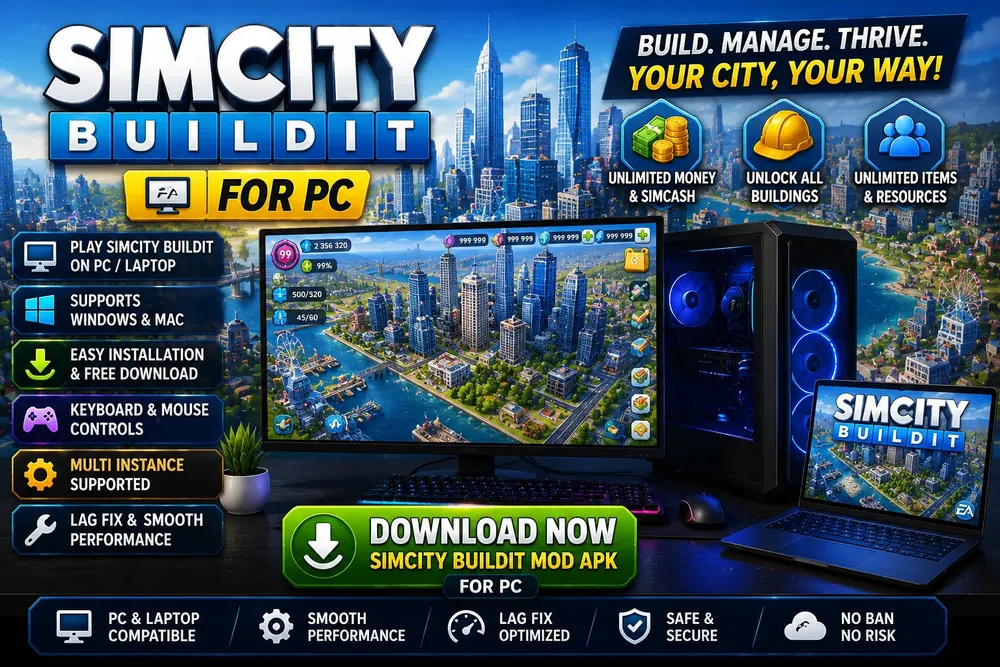
There is no native Windows or macOS release of the mobile game, so running the SimCity BuildIt mod apk on a computer means an Android emulator. That is a reasonable fit for this particular game, because a city builder benefits from a large screen and a mouse far more than an action game does, and the extra memory available on a desktop removes the loading screen crashes that affect low memory phones.
The installation is the same file and the same two stage process, dragged into the emulator window instead of opened on a phone. Give the emulator at least 4 GB of RAM and enable hardware virtualisation in your BIOS, because software rendering makes the map scroll unusably slowly. A dedicated guide to emulator choice, keyboard controls and the multi touch issue that affects pinch zoom is in progress.
Alternatives worth knowing about
- SimCity BuildIt from Google Play. The same game as the SimCity BuildIt mod apk, with the original economy. If you have never played it, start here. The first several hours are well paced without any modification at all.
- SimCity Freeplay. An older and separate EA mobile title with a different structure. Slower, more building focused, and still maintained.
- Other city builders. If the appeal is the planning rather than the SimCity name, the genre has several strong offline options that do not carry any account risk at all.
Frequently asked questions
How do I download SimCity BuildIt mod apk?
Use the download button on this page to get the SimCity BuildIt mod apk. It takes you to our download page, where the file begins saving automatically after a five second countdown, with a manual link if it does not start. Before you open the file, back up your existing city by connecting the Play Store version to a Facebook, Google or EA account, then uninstall that store version, because Android will not install a differently signed package over it. Check that you have around 600 MB of free storage, since the installation needs working space while it unpacks. When the file finishes saving, open it from your notification shade or your downloads folder, and grant install permission to whichever app opens it when Android asks.
How do I install it once it has downloaded?
Open the downloaded file and Android will ask whether the app doing the opening, usually Chrome or your file manager, may install unknown apps. Grant that permission for that app only rather than turning it on globally. The installer then opens and unpacks the game, which takes noticeably longer than a normal app because it is installing a base package plus several split packages. Leave the screen on and do not switch apps while it runs, as interrupting it is the most common cause of a failed install. When it finishes, open SimCity BuildIt from your app drawer rather than reopening the installer. The unlocked balances are applied the first time the game itself launches.
Why does it install an installer instead of the game?
Because modern Android games are distributed as app bundles rather than single files. Google splits them into a base package plus separate packages for your processor architecture, screen density and language, which is why the Play Store download is smaller than the full game. Since a bundle cannot be handed to you as one ordinary APK, the file you download is a small installer carrying roughly 277 MB of packages inside it. It hands those pieces to Android in the correct order. You will briefly see two icons, the installer and then the game, and only the game icon matters afterwards. This is normal and does not mean the download was wrong.
Is it safe to download SimCity BuildIt mod apk?
The SimCity mod apk file installs as an ordinary Android application with no root access, no bootloader unlock and no patching framework required, and the technical details on this page are read out of the package itself rather than copied from a store listing. The real risk is not the file, it is the account. Running a modified client against EA’s servers breaches the terms of service for SimCity BuildIt, and EA can suspend or ban an account that connects. No download site can shield you from that. Play offline, and never sign in with a Facebook, Google or EA account that you use for other games you care about.
Will I get banned for using it?
You can be, and the trigger is connecting an account rather than installing the file. EA validates clients when they reach the live services behind Contest of Mayors, Club Wars and the Global Trade HQ, and a modified client that identifies itself there is what gets flagged. Kept fully offline the build has nothing to report and nothing to be banned from. The practical approach most people take is to treat it as a single player sandbox: skip the account link at first launch, decline the online prompts, and keep any city you genuinely care about on the unmodified Play Store version, ideally on a different device or user profile.
Does it work offline?
Yes, and offline is the recommended way to run it. The city simulation, the build menu, production chains and every service system run entirely on your device, so you can plan, build and manage without a connection, which is how most people run a SimCity mod apk. What you lose offline is the online layer: Contest of Mayors, Club Wars, the Global Trade HQ and trading with other players’ Trade Depots all need EA’s servers. Those features are unreliable on a modified client anyway, since the server frequently rejects it, so playing offline mostly formalises a limitation that already exists. It also removes the main route by which an account gets flagged.
Which Android version do I need?
Android 7.0 Nougat or newer. This is not a recommendation, it is a hard floor written into the package, so the installation will simply fail on Android 6.0 and below rather than running badly. There is no upper limit, and the package includes both 64 bit and 32 bit processor builds, so it installs and launches correctly on current phones with 64 bit only chipsets as well as on older hardware. For memory, 2 GB of RAM is the realistic minimum and is where large cities start failing at the loading screen. Aim for 3 GB or more if you plan to grow a substantial city.
Does it need root access?
No. The package installs as an ordinary Android application, and nothing about it requires root, an unlocked bootloader, a custom recovery or a patching framework such as Magisk or LSPosed. The only permission involved is Android’s install unknown apps setting, which on Android 8.0 and later is granted per application rather than as a single global switch. You grant it to whichever app opens the downloaded file, normally Chrome or your file manager, and you can revoke it immediately afterwards. Rooting a device to install this would add real security risk for no benefit whatsoever.
Can I keep my existing city?
Not directly. A city built in the Play Store version cannot be carried into a modified client, and a city built here cannot be moved back, because the save is local to the installation and each client rejects the other’s data. If your existing city matters, connect the store version to a Facebook, Google or EA account before you uninstall it, which preserves it server side so you can restore it later by reinstalling from the Play Store and signing back in. The safest arrangement is to keep the two separate: the genuine city on one device or user profile, this build on another.
Does it work on iPhone or iPad?
No. An APK is an Android package format and iOS cannot read or install one, so there is no way to use this file on an iPhone or iPad regardless of what any site claims. Modifying an iOS app requires either a jailbreak or sideloading a resigned build through a developer certificate, both of which are separate processes with their own significant risks, and neither is something this file supports. SimCity BuildIt itself is available on the App Store in its unmodified form, so iOS users can play the game normally, just without any of the unlocked balances described on this page.
How do I get more SimCash in the normal game?
Without modification, SimCash comes from a small number of slow sources. You earn it by completing achievements, from the daily reward wheel, by resolving disasters, from Contest of Mayors placings, and by clearing certain city tasks. Watching offered advertisements gives small amounts. Beyond that it is a paid currency, which is precisely why it is the bottleneck the modified build removes. If you would rather play the unmodified game efficiently, the highest return is Contest of Mayors, since consistent placings pay both SimCash and Platinum Keys, and Platinum Keys unlock landmarks that no amount of Simoleons will buy.
Why is my SimCash back to normal after launching?
The game contacted EA’s servers and pulled down a server side save that overwrote the local one. This happens when the client is allowed online at first launch, particularly if an account was linked. Clear the app’s storage from Android’s app settings to drop the downloaded save and return to local state, then launch the game with the device offline so nothing can overwrite it. Decline the sign in prompt when it appears. If you linked an account already, unlinking after the fact does not reliably help, and a clean reinstall with no account and no connection is the more dependable fix.
Conclusion
What the SimCity BuildIt mod apk gives you is a city builder with the budget removed and everything else intact. The production timers, the service planning, the traffic modelling and the land value system all behave exactly as Electronic Arts designed them. If your frustration with SimCity BuildIt was the currency wall rather than the game underneath it, this addresses precisely that and nothing else.
Go in with two things clear. The download is an installer that unpacks the real game, so give it time and storage and do not interrupt it. And the account risk is real, so keep it offline and keep anything you value on the unmodified version. Handled that way, it is a stable offline sandbox for building the city you actually want.
SimCity and SimCity BuildIt are trademarks of Electronic Arts Inc. Simcityapk.com is not affiliated with, endorsed by, or sponsored by Electronic Arts Inc. or Google LLC. All app names, logos and trademarks are the property of their respective owners. This site publishes information for educational purposes only. Modified applications are not supported by their original developers, so use them at your own risk. If you are a copyright holder and believe content here infringes your rights, please see our DMCA page.
App Information
| Name | SimCity BuildIt |
| Version | 1.81.1.14873346 |
| Publisher | ELECTRONIC ARTS |
| Package | com.ea.game.simcitymobile_row |
| Category | Simulation |
| Size | 269 MB |
| Requires | Android 7.0 and up |
| Architecture | arm64 and arm32 |
| Updated | 7 August 2026 |
| Price | Free |
| Root needed | No |